How to Check Your IL Food Stamp Balance
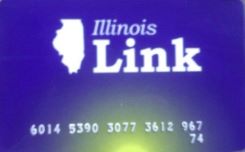 If you have an Link Card through the SNAP Program,
also known as Supplemental Nutrition Assistance Program, you’ll want to keep track of your
Illinois EBT card balance. Here are all the ways to do it—by phone, website, or
app—along with official contact details.
If you have an Link Card through the SNAP Program,
also known as Supplemental Nutrition Assistance Program, you’ll want to keep track of your
Illinois EBT card balance. Here are all the ways to do it—by phone, website, or
app—along with official contact details.
Program & Card Details
- Program Name: Supplemental Nutrition Assistance Program
- Card Name: Link Card
- State SNAP Website: dhs.state.il.us
- EBT Website: link.illinois.gov
Ways to Check Your Balance
| Method | What You’ll Need | How to Do It |
|---|---|---|
| Call | Your EBT number | Dial 800-678-5465 and follow prompts to hear your balance. |
| Online Website | Internet access + card info | Visit link.illinois.gov and log in with your credentials or card number + PIN. |
| State SNAP Website | Browser access | Go to dhs.state.il.us for links to manage benefits and SNAP info. |
| In Store | Receipt | In some cases after your purchase, your current EBT balance will be on the grocery receipt. |
Step-by-Step Guide
- Call: Dial 800-678-5465, enter your card number + PIN, and listen to your balance.
- Online: Go to link.illinois.gov, log in, and check your account balance and transactions.
- State Website: Browse dhs.state.il.us for Supplemental Nutrition Assistance Program info and links to benefit services.
Important Contacts
- EBT Customer Service: 800-678-5465
- Illinois SNAP Office: 800-843-6154
- Official EBT Website: link.illinois.gov
- SNAP Website: dhs.state.il.us
Tips & Common Issues
- Keep your PIN safe. Too many wrong attempts may lock your card.
- Check to see if the online website to check your EBT balance has a mobile app to download and use.
- Balance updates may lag briefly after purchases.
- Use only official sites like link.illinois.gov or dhs.state.il.us.
- Report lost or stolen cards immediately to prevent fraud.
Final Thoughts
Checking your balance before shopping helps you avoid surprises. Whether by phone, online, or through the app, you can manage your Illinois Link Card quickly and securely.